Catch security issues, expired SSL, and domain problems before they hurt your business.
SafeSiteScan helps you verify domains and run safety checks so you can catch issues early and keep trust high.
- Create an account
- Add your domain
- Copy the verification token
- Click “Verify Now”
- Run your first scan
Key features
See what SafeSiteScan finds in under 5 minutes
Verify ownership, run scans, and get clear results you can actually act on. No jargon. No guesswork.
- Monitoring shows uptime, SSL days remaining, and domain expiry.
- Page scans can start with sitemap pages (fast) and expand later (v2).
- Reports highlight what’s missing (like headers) and what’s safe.
No installation. No DNS changes required for scanning. Just verify and run.
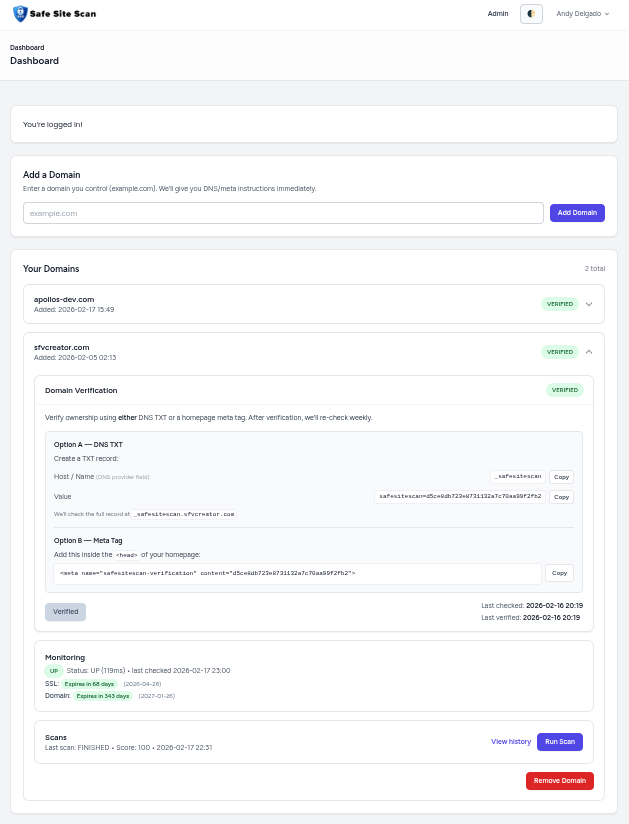
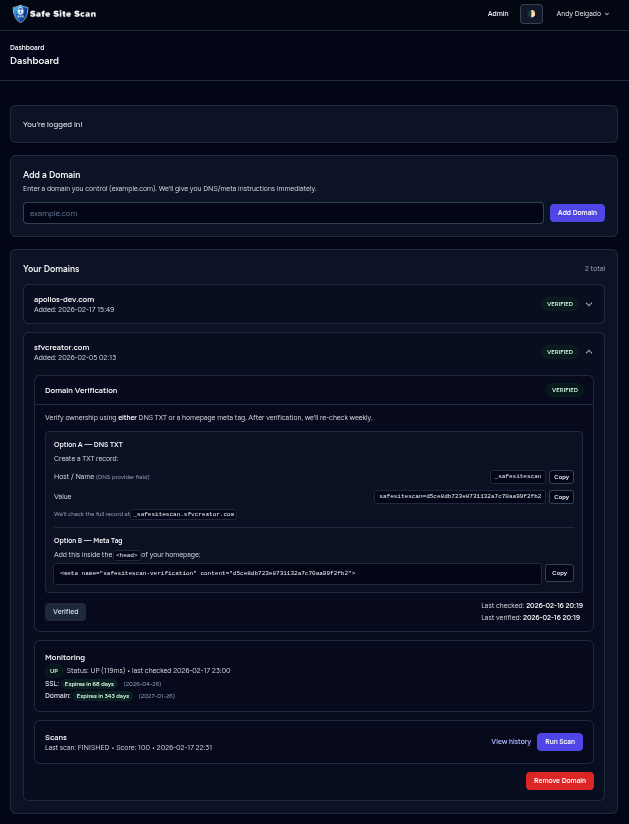
Screenshot from the real SafeSiteScan dashboard.
Frequently asked questions
Quick answers to common questions about website safety checks, domain verification, and scan reports.
What does SafeSiteScan do?
SafeSiteScan helps you verify domain ownership and run website safety checks. It looks for common security and trust issues like SSL problems, missing security headers, and domain expiry risks, then produces clear reports so you know what to fix first.
Will I understand the results if I am not technical?
Yes. We explain findings in plain English and list practical next steps. You will see what is urgent, what is recommended, and what can wait.
Does SafeSiteScan fix my website automatically?
No. SafeSiteScan identifies issues and explains how to fix them. You stay in control of changes, which is safer for production sites.
My developer is gone. Can I still use this?
Absolutely. The report is designed to be shared. You can hand it to any new developer or IT provider and they will know what to prioritize.
Is this a replacement for a full security audit?
SafeSiteScan is an early-warning system. It helps reduce risk and clarify what matters most. Serious incidents may still require a security professional or developer help.
How do I know if my website is vulnerable?
Many issues are invisible until traffic drops or browsers show warnings. SafeSiteScan checks common security and trust signals and gives you clear results so you are not guessing.
What happens if Google or browsers flag my site?
Warnings can hurt trust, conversions, and search traffic quickly. Regular scans help you catch problems early so you can fix them before they become public.
Will scanning slow down my website?
No. SafeSiteScan scans from the outside like a visitor would. Nothing is installed on your server, and your site performance is not impacted by the scan itself.
How often should I scan?
At least monthly. Weekly is better if your site changes often (plugins, scripts, themes, new pages, checkout tools). Scan again after major updates.